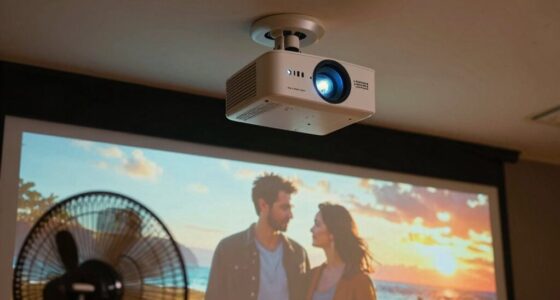

If your big screen image looks dim despite a bright projector, the issue could be your screen gain, projection angle, or room lighting. A low-gain screen reflects less light, making images appear darker, while high-gain screens can create glare and hot spots. Improper projection angles or bright ambient light also reduce perceived brightness. By adjusting these factors, you can improve your picture’s clarity. Keep exploring to discover how to optimize your setup for the best viewing experience.

Get decor and gifts delivered free with Prime
- Fast, free delivery on millions of items
- Prime Video, Amazon Music and more included
- Member-only deals all year
Key Takeaways
- Low-gain screens reflect less light, making images appear dimmer despite their size.
- High ambient lighting can wash out images, reducing perceived brightness regardless of screen gain.
- Improper projection angles can cause uneven brightness and dull images on the screen.
- Increasing screen gain may cause glare or hot spots, but doesn’t always improve overall brightness.
- Optimizing room lighting and projector positioning enhances image brightness and clarity.
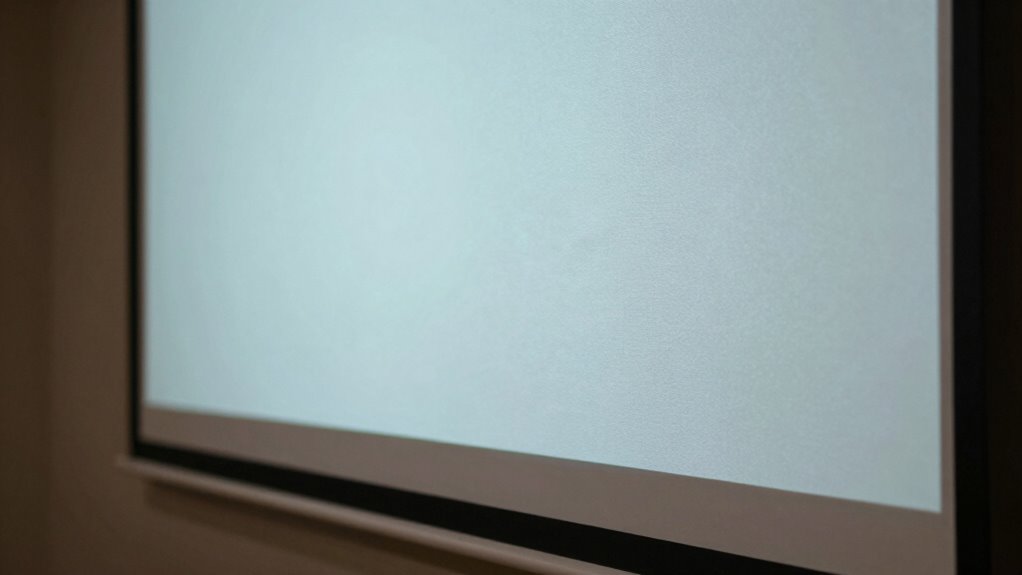
Screen gain is a measure of how well your projector’s image reflects light back to you. It essentially determines how bright or dim your picture appears on the screen. A high-gain screen reflects more light, making your image appear brighter, which is especially useful in well-lit rooms. Conversely, a low-gain screen reflects less light, resulting in a dimmer picture but often better contrast and color accuracy. Understanding this balance helps you choose the right screen for your setup and avoid that frustrating dim image, even on a large screen.
Your projection angle plays a crucial role in how the image looks. When you set up your projector, the projection angle—the angle at which the projector hits the screen—can influence how the reflected light reaches your eyes. If the angle is too steep or too shallow, it can cause uneven brightness or color shifts. This also ties into screen gain; a high-gain screen might reflect more light back to you at certain angles, but if you sit outside that ideal viewing zone, the image can appear dull or washed out. Adjusting your projection angle to align with the screen’s suitable viewing zone ensures you get the most consistent brightness and clarity, preventing your image from looking dim despite a large display. Additionally, considering your ambient lighting conditions can significantly impact the perceived brightness and overall picture quality. Proper room setup also involves positioning your projector at the correct height and distance, which can influence how well the light is reflected and perceived.
Adjust your projector’s angle to ensure consistent brightness and vibrant images across your screen.
A well-optimized setup is essential, as even small adjustments to your projection technique can make a noticeable difference in image brightness. Ambient lighting is another key factor in how bright your projected image looks. Even if you have a high-gain screen designed to boost brightness, bright room lighting can overpower the reflected light from your projector. Conversely, in darker rooms with minimal ambient lighting, even a low-gain screen can produce a vivid, sharp picture. If your environment has lots of ambient light, you might think your screen isn’t bright enough simply because the room’s lighting washes out the image. To combat this, you could switch to a higher-gain screen or dim your lights, but be mindful that increasing screen gain isn’t always the best solution—it can cause glare or hot spots if the projection angle isn’t ideal. Proper room setup plays a vital role in optimizing your viewing experience and ensuring your image remains bright and clear. The key is balancing ambient lighting and projection angle to enhance the perceived brightness, especially on larger screens where image dimming becomes more noticeable.
In the end, understanding how screen gain interacts with your projection angle and ambient lighting helps you troubleshoot why your image might look dim. It’s not just about size; it’s about setting everything up to work harmoniously. When you choose the right screen gain and adjust your projection angle while controlling ambient lighting, you’ll enjoy a brighter, more vibrant image—no matter the size of the screen or the lighting conditions in your room.
As an affiliate, we earn on qualifying purchases.
Frequently Asked Questions
How Does Ambient Light Affect Screen Gain Performance?
Ambient light can considerably impact your screen gain performance. When there’s a lot of ambient light, it causes light reflection, making your projected image appear dimmer and less vibrant. High ambient light levels wash out the image, reducing contrast and detail. To improve performance, you should control ambient light by dimming or blocking it, especially in rooms with reflective surfaces, ensuring your screen’s gain benefits are fully realized for a brighter, clearer picture.
Can Screen Gain Be Adjusted After Installation?
You can’t typically adjust screen gain after installation because it’s determined by the screen material. However, you can optimize viewing angles to improve perceived brightness and contrast. If your screen’s gain isn’t suitable, consider replacing it with a material that has a different gain level. Adjusting the position or environment lighting can also help enhance your viewing experience, even without changing the actual screen gain.
What Screen Gain Is Ideal for Home Theaters?
You should choose a screen gain around 1.0 to 1.3 for your home theater. Some worry that higher gain screens will be too reflective, but with quality screen material and a good viewing angle, you’ll get bright, vibrant images without glare. This range balances brightness and color accuracy, ensuring everyone in the room enjoys a consistent viewing experience, regardless of where they sit.
How Does Screen Gain Impact Projector Brightness?
Screen gain directly affects projector brightness by influencing how much light the screen material reflects. A higher gain increases brightness, making images appear more vivid, especially if you sit within the ideal viewing angle. Conversely, low gain screens reflect less light, which can cause images to look dimmer. Your choice of screen material and understanding the viewing angle are essential to ensuring a bright, clear picture without unwanted glare or loss of contrast.
Are High Gain Screens Suitable for Bright Rooms?
Think of high gain screens as the spotlight of your viewing setup—they’re great for bright rooms. Their reflective screen material boosts brightness but narrows viewing angles. If you sit directly in front, you’ll enjoy a vibrant image, but outside that sweet spot, colors fade and contrast drops. So, if your room is bright and viewers move around, a high gain screen might not be the best choice.
Conclusion
Understanding screen gain is like adjusting the sails on a boat—you need the right angle to catch the light just right. When you know how screen gain affects brightness, you can steer your viewing experience toward a brighter, clearer image. Think of it as tuning a musical instrument; a small adjustment makes a big difference. So, take control of your screen settings, and enjoy the vivid, immersive picture you deserve, no matter the size of your screen.
Fall Picks
fall essentials
As an affiliate, we earn on qualifying purchases.