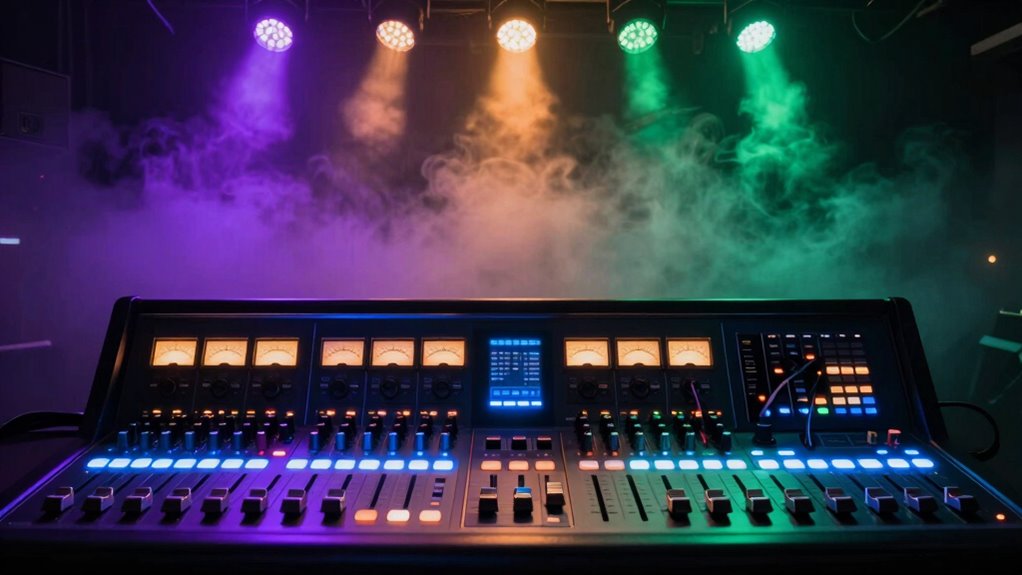

To sync lights, fog, and sound in your show, you need a show control system that manages all elements together. Use a control console or computer-based system to program cues for each effect, ensuring they trigger simultaneously. Test and adjust timing in advance to keep everything coordinated. By understanding how to set up and align cues, you’ll create a seamless experience. Keep exploring, and you’ll discover how to make your production truly enthralling.

Get decor and gifts delivered free with Prime
- Fast, free delivery on millions of items
- Prime Video, Amazon Music and more included
- Member-only deals all year
Key Takeaways
- Use a show control system or software to program and synchronize lighting, fog, and sound cues before the performance.
- Create precise timing and sequencing for each element to ensure seamless transitions and effects.
- Test and simulate cues in advance to troubleshoot timing issues and ensure smooth operation during the show.
- Assign specific cues for lighting changes, fog release, and sound effects to maintain coordination.
- Monitor and adjust cues during rehearsals to achieve perfect synchronization and audience immersion.

Have you ever wondered how complex stage productions synchronize lighting, sound, and effects seamlessly? It’s a fascinating process, and at its core, it relies on a system called show control. This system guarantees that every element on stage operates in harmony, creating a captivating experience for the audience. To pull this off, you need to understand how lighting fixtures and sound synchronization play essential roles. Lighting fixtures are the visual tools that set the mood and highlight key moments, while sound synchronization guarantees that audio cues match perfectly with visual and physical effects.
Show control synchronizes lighting, sound, and effects to create a seamless, immersive stage experience.
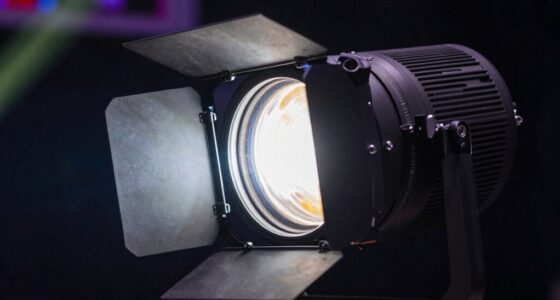
When managing lighting fixtures, you’re fundamentally programming cues that tell each light when to turn on, change color, or move. These cues are stored in a control console or a computer-based system, which acts as the conductor of your lighting orchestra. Timing is everything here; you want each lighting change to happen precisely when it needs to, whether to focus attention, create ambiance, or signal a scene transition. Advanced lighting control systems allow you to pre-program these cues with exact timing, so they execute automatically during a performance, removing the guesswork and minimizing errors.
Sound synchronization adds another layer of complexity but is equally essential. It involves aligning audio cues—such as sound effects, music, or dialogue—with the visual elements and stage movements. To do this effectively, you use a show control system that integrates audio playback with lighting and effects commands. This integration guarantees that sound effects happen exactly when a visual cue occurs, like a door slamming or a thunderclap coinciding with a lightning flash. The key is precise timing; delayed or early cues can break the illusion and diminish the audience’s immersion. Understanding the timing and cues involved is crucial for achieving a seamless performance. Additionally, modern systems often incorporate automation features that help streamline the synchronization process, making complex cues easier to manage. Having a clear understanding of synchronization techniques can significantly improve the coordination of all elements.
Modern show control systems often feature software that allows you to script and test entire sequences before the performance. You can simulate timing, adjust cues, and troubleshoot any issues beforehand. This way, during the actual show, everything runs smoothly without a hitch. When you’re setting up these cues, it’s essential to keep in mind the tempo and rhythm of the performance, so all elements—lights, sounds, fog effects—are perfectly synchronized. The result is a seamless experience where all technical elements work together behind the scenes, creating the magic that captivates your audience.
In reality, mastering show control basics involves understanding how lighting fixtures can be programmed with precise cues and guaranteeing sound synchronization is tight. When these components work together flawlessly, your production becomes more immersive, professional, and memorable.
As an affiliate, we earn on qualifying purchases.
Frequently Asked Questions
What Are the Most Common Show Control Software Options?
You’ll find several popular show control software options, like QLab, Lightkey, and Madrix, which excel at lighting automation and sound synchronization. These tools allow you to seamlessly coordinate lights, fog, and sound effects, making your show more professional. QLab is great for multimedia cues, while Madrix offers advanced lighting control. Choose based on your specific needs, budget, and the complexity of your setup to guarantee flawless synchronization.
How Do I Troubleshoot Synchronization Issues During a Show?
When troubleshooting synchronization issues, you might feel like you’re battling a hurricane! First, check your timing calibration—make sure all devices are aligned and responses are timely. Next, inspect for signal interference, which can throw off your cues. Verify your control system’s connections are secure and free from interference sources. Adjust settings if needed, and run a test to confirm everything’s synced perfectly, preventing chaos during your show.
Can Show Control Systems Integrate With Existing Theater Equipment?
Yes, you can integrate show control systems with existing theater equipment. You’ll want to check the lighting integration options and confirm equipment compatibility. Modern show control systems often support various protocols, making it easier to sync lights, fog, and sound with your current setup. Before integrating, verify that all devices are compatible and can communicate seamlessly, so your show runs smoothly without technical hiccups.
What Safety Precautions Should Be Taken With Show Control Setups?
You should prioritize safety protocols and emergency procedures when working with show control setups. Always conduct thorough risk assessments before the show, ensuring all equipment is properly grounded and tested. Keep emergency shut-off switches accessible, and inform your team about emergency procedures. Regularly inspect all connections and devices for faults. By following these safety measures, you minimize risks, ensuring a safe environment for everyone involved in the production.
How Much Does a Basic Show Control System Typically Cost?
A basic show control system typically costs between $1,000 and $5,000, depending on your needs. You’ll want to contemplate lighting design and sound integration when choosing your setup. Smaller, entry-level systems offer simple control over lights, fog, and sound, making them affordable for beginners. As your show complexity grows, expect to invest more for advanced features and seamless synchronization, ensuring your visual and audio effects work perfectly together.
Conclusion
Now that you know the basics of show control, you’re ready to orchestrate a seamless performance. Think of your setup as a well-conducted symphony, where lights, fog, and sound come together in perfect harmony. With a little practice, you’ll be the maestro behind the scenes, turning your creative vision into an mesmerizing reality. Remember, every detail counts—so keep experimenting and fine-tuning your cues to create an unforgettable show that leaves your audience spellbound.
Halloween Picks
halloween
As an affiliate, we earn on qualifying purchases.