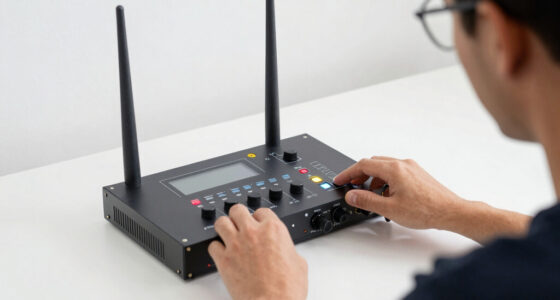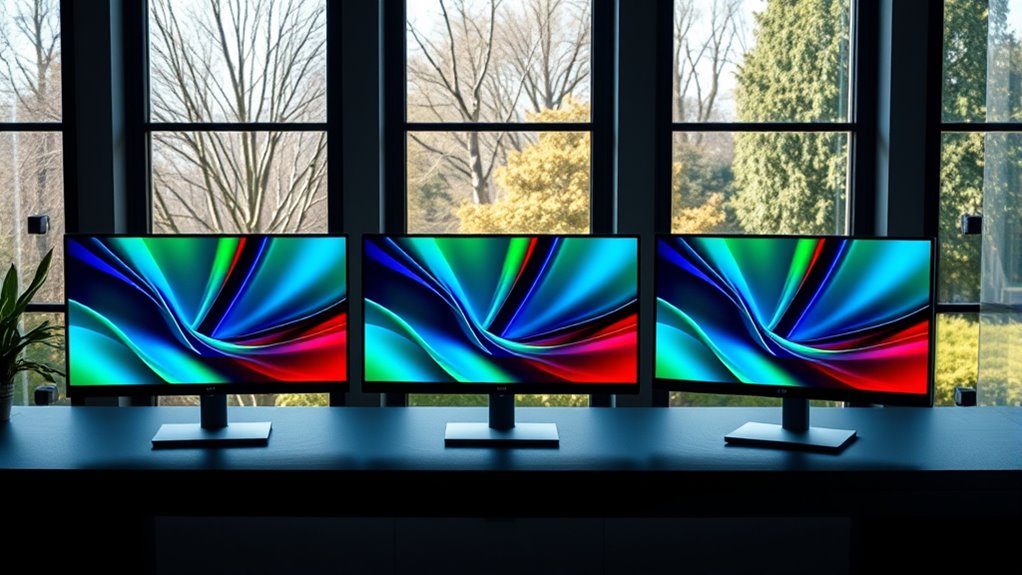

For a color E Ink monitor focused on eye comfort, I would start with the Bigme B13 with remote control for its listed 3200 × 2400 resolution and flexible display modes, or the Bigme B251 if a much larger screen and adjustable front light matter more than smooth motion. The touchscreen B13 is the clearest fit for direct interaction, while the USB-C and mini HDMI B13 offers useful connection choices in a portable package. One qualification shapes this whole roundup: these listings do not establish that any model is a conventional 4K monitor. Their stated resolutions fall short of 3840 × 2160, and E Ink refresh limits make them better suited to reading and static work than video or fast scrolling.

Get decor and gifts delivered free with Prime
- Fast, free delivery on millions of items
- Prime Video, Amazon Music and more included
- Member-only deals all year
I rank these monitors by how well their stated display, size, controls, and connections serve eye-comfort work—not by treating color E Ink as a cure for eye strain. A matte finish, adjustable light, and high pixel density can each affect the experience, but product details are inconsistent for some B13 listings. I call out those gaps so you can choose based on the information that is actually provided.
Complete the kit


Key Takeaways
- None of the four listings confirms a standard 3840 × 2160 4K resolution. The stated resolutions are 3200 × 2400 or 3200 × 1800, so check resolution claims against your definition of 4K.
- The B251 is the only large-screen pick, with a 25.3-inch panel and customizable front light, but its listed 15 Hz refresh rate and glossy finish suit static work better than motion.
- The B13 remote-control listing is the strongest portable all-rounder on paper, with 4:3 resolution, a remote, and several display modes; its refresh-rate and brightness details are inconsistent or incomplete.
- The B13 with touchscreen adds direct input, but its glossy finish and 30 Hz refresh rate are compromises for buyers prioritizing a glare-controlled, motion-friendly screen.
- Eye-comfort claims do not replace fit and setup. Screen size, ambient light, font scaling, task type, and tolerance for E Ink refresh behavior all affect whether a monitor feels comfortable.
| Bigme B13 13.3-Inch Color E-Paper Monitor with Remote Control |  | Best Overall for Portable Reading and Document Work | Screen size: 13.3 inches | Display technology: Color e-paper, Kaleido 3 | Resolution: 3200 × 2400 | VIEW ON AMAZON | See Our Full Breakdown |
| Bigme B251 25.3-Inch Color E Ink Monitor |  | Best for a Large, Front-Lit Reading Workspace | Screen size: 25.3 inches | Display type: Color E Ink | Native resolution: 3200 × 1800 | VIEW ON AMAZON | See Our Full Breakdown |
| Bigme B13 13.3-Inch Color E-Paper Monitor with USB-C and Mini HDMI | | Best Matte-Finish Portable Option | Screen size: 13.3 inches | Display type: E Ink | Display finish: Matte | VIEW ON AMAZON | See Our Full Breakdown |
| Bigme B13 13.3-Inch Color E-Ink Portable Monitor with Touchscreen |  | Best for Touch-First Portable Reading | Screen size: 13.3 inches | Display type: Color E Ink | Resolution: 3200 × 2400 | VIEW ON AMAZON | See Our Full Breakdown |
| 4k color e ink monitors for eye comfort | Screen size | Refresh rate | Connectivity | Resolution |
|---|---|---|---|---|
| Bigme B13 13.3-Inch Color E-Pa | 13.3 inches | 60 Hz listed; description also says 30 FPS | HDMI, USB Type-C | 3200 × 2400 |
| Bigme B251 25.3-Inch Color E I | 25.3 inches | 15 Hz | HDMI, DisplayPort, USB-A, USB-C, mini HDMI | — |
| Bigme B13 13.3-Inch Color E-Pa | 13.3 inches | 30 Hz | 2 USB-C, mini HDMI, Wi-Fi | 3200 × 2400 listed; native resolution also listed as 2560 × 1440 |
| Bigme B13 13.3-Inch Color E-In | 13.3 inches | 30 Hz | Mini HDMI, USB-C | 3200 × 2400 |
More Details on Our Top Picks
Bigme B13 13.3-Inch Color E-Paper Monitor with Remote Control
I rank this B13 first because its stated 3200 × 2400 resolution, 4:3 format, and range of display modes make it the most adaptable portable option in the group. The 13.3-inch size is easier to place beside a laptop than the B251, while the remote gives you a way to change modes without reaching for the monitor. Extended, mirror, presentation, portrait, and single-display modes give it a broader role than a reading-only screen.
The listing describes Kaleido 3 color e-paper and reports 300 PPI, which may suit dense text and color-coded documents. That is a useful distinction from the other B13 entries, whose supplied specs do not include pixel density. Still, the product information needs caution: one detail lists 60 Hz, while the description says 30 FPS, and brightness is given without a unit. I would confirm those points with the seller before relying on them.
Its refresh and response details also point toward a monitor for deliberate work, not lively motion. Compared with the B251, it is more portable and its listed refresh rate is higher, but it gives up the large canvas and customizable front light. Compared with the touchscreen B13, it offers a remote and more explicit display modes rather than direct touch input. For readers and document workers, that balance makes it my most versatile pick, provided the inconsistent specifications are understood.
Pros:- Stated 3200 × 2400 resolution and 4:3 format
- Remote control and multiple display modes
- Kaleido 3 color e-paper and listed 300 PPI
- Portable 13.3-inch design with HDMI and USB-C
Cons:- Refresh information conflicts between 30 FPS and 60 Hz
- Brightness is listed without a measurement unit
- E Ink response behavior is a poor fit for fast video or gaming
Best for: Readers and laptop users who want a portable color E Ink second screen, remote controls, and several ways to arrange desktop content.
Not ideal for: Buyers who need verified 4K UHD, dependable high-refresh motion, a clearly specified brightness level, or a large desktop-sized panel.
- Screen size:13.3 inches
- Display technology:Color e-paper, Kaleido 3
- Resolution:3200 × 2400
- Pixel density:300 PPI listed
- Aspect ratio:4:3
- Refresh rate:60 Hz listed; description also says 30 FPS
- Connectivity:HDMI, USB Type-C
- Weight:1.5 pounds
Our verdict“I would choose this B13 as the most flexible portable reading and document monitor, but only after checking its conflicting refresh and brightness details.”
Bigme B251 25.3-Inch Color E Ink Monitor
The B251 earns a distinct place here because it is the only model with a 25.3-inch display and customizable front light. That larger surface can make side-by-side documents, spreadsheets, or reference material easier to arrange than on any 13.3-inch B13. Adjustable front lighting also gives you more control over visibility when ambient light changes, although the listing does not specify lighting range or performance.
Size comes with a meaningful motion tradeoff. The B251 is listed at 15 Hz with a 36 ms response time, the slowest refresh figure in this group. That makes it a poor choice for video-heavy work, rapid pointer movement, or frequent scrolling. The glossy finish may also reflect room lights more readily than the matte finish listed for the B13 variant with mini HDMI and USB-C. Compared with that portable B13, the B251 offers a much roomier workspace and front light, but it is less suited to moving between locations and has a harsher stated motion limit.
Its 3200 × 1800 resolution is a large-format panel specification, not standard 4K UHD. The B251 also provides HDMI, DisplayPort, USB-A, USB-C, and mini HDMI connections, plus voice controls and built-in speakers. Those extras add flexibility, but the large panel, glossy screen, and slow refresh define the buying decision more than the secondary features. I would favor it for stationary, text-focused work where screen area matters more than motion.
Pros:- Largest screen in this roundup at 25.3 inches
- Customizable front light and four refresh modes
- Broad listed connections, including DisplayPort and USB-C
- Voice control and built-in speakers
Cons:- Listed 15 Hz refresh rate and 36 ms response time limit motion use
- Glossy finish may reflect ambient light
- 3200 × 1800 is below standard 4K UHD dimensions
Best for: People who want a large, stationary color E Ink workspace for reading long documents, comparing pages, or keeping reference material visible.
Not ideal for: Anyone who watches a lot of video, plays games, scrolls quickly, needs a matte surface, or expects confirmed 4K UHD resolution.
- Screen size:25.3 inches
- Display type:Color E Ink
- Native resolution:3200 × 1800
- Aspect ratio:16:9
- Refresh rate:15 Hz
- Response time:36 ms
- Screen finish:Glossy
- Lighting:Customizable front light
- Connectivity:HDMI, DisplayPort, USB-A, USB-C, mini HDMI
Our verdict“I recommend the B251 when a big, adjustable-lit reading area matters more than smooth motion, portability, or a matte screen.”
Bigme B13 13.3-Inch Color E-Paper Monitor with USB-C and Mini HDMI
This B13 listing stands out for its matte display finish and multiple connection paths. For a portable monitor used near windows or overhead lighting, a matte surface may be preferable to the glossy finish specified for the touchscreen B13 and B251. USB-C, mini HDMI, and Wi-Fi give it connection flexibility, while built-in speakers and a remote add convenience for basic desk or travel use.
The listing does not provide the same clear resolution story as the remote-control B13: it gives both 3200 × 2400 and a native resolution of 2560 × 1440. That ambiguity matters if you are matching a computer output or expecting crisp text at a specific scale. Its 30 Hz refresh rate also confirms a static-work orientation. Compared with the remote-control B13, this model has a clearer matte-finish advantage but less dependable resolution and refresh information; compared with the B251, it is far easier to carry but offers a much smaller workspace.
Four display modes and FreeSync are listed, though neither changes the basic limitation of an E Ink panel: fast animation and frequent motion may not look fluid. The monitor’s stated 200 cd/m² brightness is more specific than the unitless brightness entry on the other B13 listing, but the figures are not directly comparable without matching conditions. I see this as a practical choice for reading, documents, and travel when surface glare is a priority, not as a general-purpose screen replacement.
Pros:- Matte finish may help reduce reflections
- USB-C, mini HDMI, and Wi-Fi connections are listed
- Remote control, built-in speakers, and four display modes
- Slim 13.3-inch design is suited to portable setups
Cons:- Resolution details conflict between 3200 × 2400 and 2560 × 1440
- 30 Hz refresh rate is limiting for motion
- Smaller screen area than the B251
Best for: Portable-work users who favor a matte finish, need USB-C or mini HDMI, and mainly read or work with static documents.
Not ideal for: Buyers who need one unambiguous native resolution, higher refresh behavior, confirmed 4K output, or a large workspace.
- Screen size:13.3 inches
- Display type:E Ink
- Display finish:Matte
- Resolution:3200 × 2400 listed; native resolution also listed as 2560 × 1440
- Refresh rate:30 Hz
- Brightness:200 cd/m²
- Connectivity:2 USB-C, mini HDMI, Wi-Fi
- Audio and controls:Built-in speakers and remote control
Our verdict“I would pick this B13 over the glossy alternatives when a matte portable screen is the priority, after verifying which resolution applies.”
Bigme B13 13.3-Inch Color E-Ink Portable Monitor with Touchscreen
The touchscreen B13 is the easiest fit for someone who wants to tap or interact directly with content instead of relying only on a remote or computer input. Its listing gives a 3200 × 2400 resolution, 4:3 aspect ratio, and compatibility with Windows, macOS, iOS, and Android. That range can make it a useful companion for reading, annotation-style workflows, and mobile devices, subject to the connected device and software supporting the setup.
Its key tradeoff is the glossy finish. For buyers focused on visual comfort, that is a real disadvantage beside the matte B13 listing, particularly in a bright room or near a window. The 30 Hz refresh rate also fits documents better than moving content. Although the listed response time is 0.2 ms, I would not read that figure as proof of fluid E Ink motion; refresh rate and the panel’s display behavior still matter for scrolling and video.
Compared with the remote-control B13, this model adds a touchscreen and clear compatibility claims but lacks the same listed 300 PPI and mode detail. Compared with the B251, it is compact and portable but offers much less screen area and no listed customizable front light. Its stated 150 PPI in color mode is another point to weigh if small text detail matters. I place it fourth because touch is a useful niche benefit, but the glossy surface and modest refresh rate make it less compelling for eye-comfort-first buyers than the matte alternative.
Pros:- Touchscreen supports direct interaction
- 3200 × 2400 resolution is listed
- Compatibility includes Windows, macOS, iOS, and Android
- USB-C and mini HDMI support portable connections
Cons:- Glossy finish may reflect surrounding light
- 30 Hz refresh rate limits motion smoothness
- Color-mode density is listed as 150 PPI
Best for: People who want a compact color E Ink display with touchscreen interaction for reading, studying, and compatible mobile or computer setups.
Not ideal for: Readers who work in glare-prone rooms, need high pixel density for tiny text, or expect smooth animation and video.
- Screen size:13.3 inches
- Display type:Color E Ink
- Resolution:3200 × 2400
- Color-mode pixel density:150 PPI
- Aspect ratio:4:3
- Refresh rate:30 Hz
- Screen finish:Glossy
- Connectivity:Mini HDMI, USB-C
- Compatibility:Windows, macOS, iOS, Android
Our verdict“I would choose this B13 for touch input and device flexibility, but the matte-finish model is a stronger match if minimizing reflections comes first.”

How We Picked
I ranked these four listings around the needs implied by color E Ink and eye comfort: reading legibility, useful screen area, lighting and surface details, connection flexibility, and how well the stated refresh behavior fits everyday computer work. I gave more weight to information that can guide a concrete choice than to broad claims about reducing eye strain. A matte finish may help limit reflections, for example, while a front light can help in dimmer rooms; neither guarantees comfort for every reader.
I also compared the products against the 4K promise in the title. The supplied specifications list 3200 × 2400 for three B13 variants and 3200 × 1800 for the B251. Those figures do not reach the standard 3840 × 2160 UHD pixel dimensions, so I do not describe any as a verified 4K monitor. The listings also conflict or omit units for some details, including a B13 refresh rate and brightness. I flag those rather than treating uncertain specifications as settled facts.
Finally, I ranked by distinct buyer fit. The remote-control B13 leads for a portable, feature-rich setup; the B251 serves readers who need a large workspace; the matte-finish B13 appeals to buyers who value surface treatment and connection options; and the touchscreen version is for people who want direct interaction. All four trade motion smoothness for an E Ink-style display experience, so I favor reading, documents, and relatively static tasks over video, gaming, or rapid scrolling.
| 4k color e ink monitors for eye comfort | Display type |
|---|---|
| Bigme B13 13.3-Inch Color E-Pa | — |
| Bigme B251 25.3-Inch Color E I | Color E Ink |
| Bigme B13 13.3-Inch Color E-Pa | E Ink |
| Bigme B13 13.3-Inch Color E-In | Color E Ink |
Factors to Consider When Choosing 4k Color E Ink Monitors For Eye Comfort
Before choosing one of these monitors, I would separate two questions: whether you want an E Ink-style display for reading comfort, and whether the monitor matches your resolution and workflow needs. The listings support a useful comparison of size, finish, lighting, and connectivity, but they do not confirm a standard 4K UHD panel.
Check What “4K” Means in the Listing
Standard 4K UHD displays use a resolution of 3840 × 2160. The products here list either 3200 × 2400 or 3200 × 1800, so I would not buy one on the assumption that it is confirmed 4K. A listing may use “4K” loosely or refer to input support rather than native panel pixels; those are not the same thing. If you need a specific desktop resolution, confirm both the monitor’s native resolution and the computer’s supported output before ordering.
Resolution alone does not tell the full comfort story. A 4:3 screen, like the B13 models, may suit pages and documents better than a widescreen format, while the B251’s 16:9 display may fit side-by-side windows more naturally. Check how your usual content will sit on the panel rather than relying on a resolution label alone.
Match Refresh Behavior to Your Daily Tasks
E Ink monitors are most compelling for reading, writing, reference material, and relatively static documents. Refresh specifications in this roundup range from a listed 15 Hz on the B251 to 30 Hz on two B13 entries, while the remote-control B13 has conflicting 30 FPS and 60 Hz information. Those numbers and the panel technology suggest that frequent scrolling, video, animation, and gaming deserve extra scrutiny.
Ask yourself how often your screen changes. If you keep a document open for long stretches, slow refresh may matter less than it would during constant window movement. A monitor marketed with a quick response-time figure may still have E Ink motion limits, so do not judge smoothness from one number alone.
Choose Screen Size, Surface, and Lighting Together
The 25.3-inch B251 provides the most room for long documents and multiple panes, but its glossy finish and slow listed refresh are notable compromises. The 13.3-inch B13s are more portable and easier to fit beside a laptop. Among them, the matte-finish listing may be a better starting point in rooms with reflections, while the touchscreen model uses a glossy finish.
Front lighting can help when the room is dim, and the B251 is the only listing that specifies customizable front light. That does not automatically make it the most comfortable for everyone: room lighting, glare, font size, viewing distance, and personal sensitivity all matter. Look for clear information about light adjustment and screen finish when those features are central to your setup.
Compare Inputs, Controls, and Device Support
Connection choices determine whether a monitor is practical with your current equipment. The matte B13 lists USB-C, mini HDMI, and Wi-Fi; the touchscreen B13 lists USB-C and mini HDMI; the remote-control B13 lists HDMI and USB Type-C; and the B251 offers the broadest set of named ports, including DisplayPort. Check whether USB-C carries the video signal from your device and whether the required cable or adapter is included.
Controls also separate the models. The remote-control B13 is attractive if you change display modes often, while the touchscreen version is the one for direct touch interaction. The B251 adds voice control and a front light. These features can streamline a particular routine, but they do not compensate for a display size, finish, or refresh rate that does not suit your work.
Treat Eye Comfort as a Personal Fit
Color E Ink is designed to offer a paper-like viewing experience, but a product claim cannot promise that every buyer will feel less strain. Text size, contrast, room lighting, posture, viewing distance, and time spent focused on any screen can all affect comfort. Color e-paper can also look different from a conventional LCD, so check whether its color range and refresh behavior suit your documents.
I would prioritize the features that map to your own discomfort: a matte surface if reflections bother you, a larger panel if cramped text makes you squint, or adjustable front lighting if you work in varied ambient light. If eye symptoms persist, a monitor change may not address the cause; take regular breaks and seek appropriate professional guidance.
Frequently Asked Questions
Are any of these monitors confirmed to be 4K?
No supplied specification confirms standard 3840 × 2160 4K UHD resolution. The B13 listings state 3200 × 2400, though one also lists 2560 × 1440 as native resolution, and the B251 lists 3200 × 1800. I would verify the native panel resolution with the seller if 4K is a requirement rather than treating a broad title or marketing phrase as proof.
Which pick is best for reducing reflections?
The B13 listing with USB-C and mini HDMI is the only one that explicitly specifies a matte finish, so it is the clearest option to investigate for a reflection-conscious setup. The touchscreen B13 and B251 are listed as glossy. A matte surface can help in some lighting conditions, but placement, window position, and room lights still affect glare.
Can I use these monitors for video or gaming?
They are better matched to reading and relatively static computer work than to video or gaming. The listed refresh rates are low or inconsistent across the products, and the B251 is specified at 15 Hz with a 36 ms response time. Even where a listing reports 30 Hz or a quick response-time figure, I would check real-world motion behavior and seller documentation before buying for fast-moving content.
Which model should I choose for a large desktop workspace?
The Bigme B251 is the only 25.3-inch option, so it offers the most physical screen area for long documents or multiple panes. Its tradeoffs are a glossy finish, a listed 15 Hz refresh rate, and a 3200 × 1800 resolution that is below standard 4K UHD. If portability matters more than workspace, one of the 13.3-inch B13 models is a better fit.
What should I verify before buying a B13?
Confirm the exact native resolution, refresh-rate specification, brightness units, included cables, and device compatibility for the specific listing you plan to buy. The supplied B13 information varies: one listing gives both 3200 × 2400 and 2560 × 1440, while another describes 30 FPS and separately lists 60 Hz. Check touchscreen or remote-control inclusion as well, since these are different product versions.
Conclusion
My overall pick is the remote-control Bigme B13 for portable reading and document work, as long as you verify its inconsistent refresh and brightness details. Choose the B251 if a large stationary workspace and customizable front light matter more than motion smoothness or a matte surface. For a reflection-conscious portable setup, the matte-finish B13 is the more direct match, but confirm which listed resolution is native. Pick the touchscreen B13 when direct interaction is the priority and its glossy finish suits your environment.
None of these listings confirms standard 4K UHD, and each has a refresh or specification caveat. I would treat them as specialized color E Ink monitors for reading and static work, not universal replacements for conventional high-refresh displays. Match the screen to your tasks and room, then verify the exact product version before purchase.