DMX lighting is a powerful tool that gives you precise control over stage and event lights, allowing dynamic color mixing and effect changes in real-time. You assign unique addresses to each fixture, typically with DIP switches, to keep everything organized and avoid conflicts. By adjusting parameters like color, intensity, and movement, you can create mesmerizing visuals. Keep exploring, and you’ll soon master how to maximize your lighting designs for any show or event.

Get decor and gifts delivered free — and shop member deals
- Fast, free delivery on millions of items
- Access to Prime Big Deal Days deals on October 6–7
- Prime Video, Amazon Music and more included
Key Takeaways
- Understand DMX as a digital protocol that controls multiple stage lighting fixtures with precise, real-time adjustments.
- Properly assign unique DMX addresses to each fixture using DIP switches or digital displays.
- Learn how to program scenes by adjusting fixture parameters like color, intensity, and movement.
- Use RGB channels to create vibrant, dynamic color effects through color mixing.
- Organize and manage fixture channels effectively to prevent conflicts and ensure smooth lighting operation.
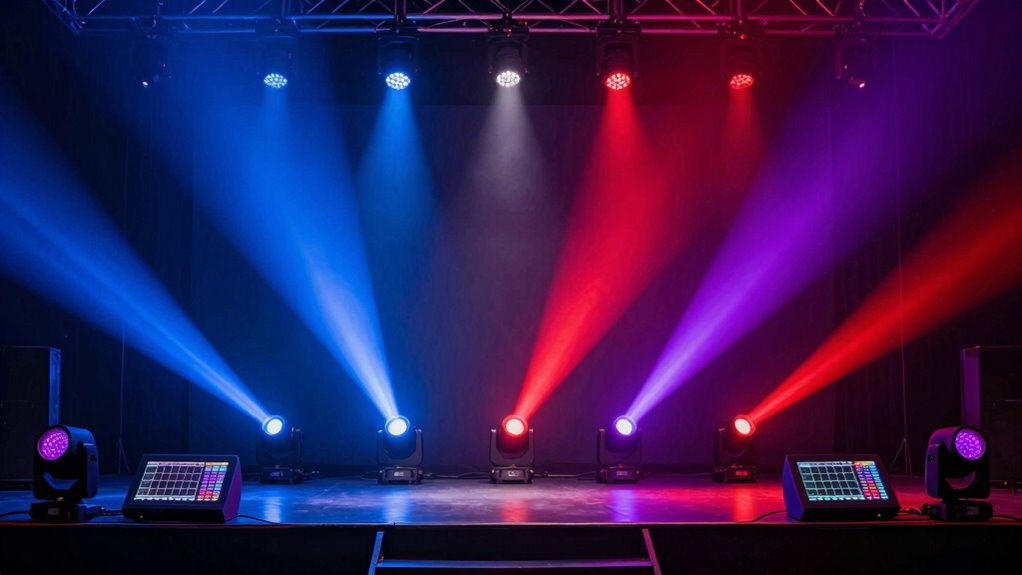
DMX lighting is a powerful tool that controls stage and event lights with precision and flexibility. When you’re just starting out, understanding how to set up and operate DMX systems can seem overwhelming, but breaking it down makes it manageable. One of the key features you’ll want to explore is LED color mixing. With LED fixtures, you can blend red, green, and blue channels to create a wide spectrum of colors, giving your lighting design more depth and vibrancy. This process allows you to dynamically change colors during a performance or event, making your lighting more engaging and visually appealing. To do this effectively, you need to understand how to assign and control individual channels, which is where DMX address setup comes into play.
DMX lighting offers precise control, enabling dynamic color mixing with LED fixtures for vibrant, engaging stage effects.
DMX address setup is the foundation of your entire lighting system. Each fixture needs a unique DMX address so that your controller can communicate with it properly. Think of it like giving each light its own phone number; without proper addresses, your controller can’t send the right signals. Setting up addresses is straightforward but requires attention to detail. Usually, fixtures have DIP switches or digital displays that let you assign addresses. You’ll want to plan your layout beforehand, deciding how many fixtures you’ll use and how to assign addresses to keep things organized. For example, if you have a fixture with multiple channels for color mixing, you’ll need to set its address to match the starting point of its channels on your control desk. Properly understanding DMX addressing helps prevent conflicts and ensures smooth operation during your shows. Additionally, familiarizing yourself with fixture organization and how channels are allocated can significantly improve your troubleshooting efficiency. A clear understanding of channel management can help you make quick adjustments on the fly and avoid confusion during complex setups.
Once your DMX addresses are assigned, you can begin programming your lighting scenes. This involves selecting specific addresses and adjusting their parameters, such as intensity, color, or movement, depending on your fixtures’ capabilities. With LED fixtures, you’ll often control the color mixing via specific channels, making it easier to create smooth transitions and complex color effects. Remember, the consistency of your DMX address setup ensures that when you change a scene or cue, the right lights respond as expected. This setup process might seem technical at first, but once you get the hang of assigning addresses and understanding LED color mixing, controlling your lights becomes intuitive and creative. Additionally, understanding the organization of fixtures and their channels can help streamline your workflow and prevent errors during live events. Knowing how to manage channels efficiently is essential for quick adjustments and troubleshooting during performances.
In essence, mastering DMX address setup and LED color mixing is crucial for any beginner aiming to produce professional-looking lighting. It’s all about organizing your system and understanding how to manipulate your fixtures’ channels. With practice, you’ll be able to create stunning, synchronized lighting displays that elevate any event or performance. Keep experimenting with different colors and scenes, and soon, DMX lighting will feel like a natural extension of your creative vision.
As an affiliate, we earn on qualifying purchases.
Frequently Asked Questions
How Do I Troubleshoot DMX Lighting Issues?
For DMX troubleshooting, start by checking your lighting connectivity; make sure all cables are secure and undamaged. Use a DMX tester to verify signals are reaching fixtures. If issues persist, reset your controller and fixtures, then readdress addresses to avoid conflicts. Double-check your DMX address settings and make certain your software or controller is configured correctly. These steps help identify and resolve common DMX lighting issues quickly and effectively.
Can DMX Lighting Be Integrated With Smart Home Systems?
Yes, you can integrate DMX lighting with smart home systems using wireless control options like Wi-Fi or Zigbee, making setup easier and more flexible. This integration allows you to control lighting remotely, adjust color mixing, and create dynamic lighting scenes via your smart home app or voice commands. Just make certain your DMX fixtures support wireless control, and you might need a compatible interface or bridge to connect your system seamlessly.
What Are the Common DMX Controller Brands?
Imagine trusting a clown to fix your high-tech lighting—brands like ENTTEC, Chauvet, and Avolites are your best bets. These common DMX controller brands guarantee DMX signal integrity and lighting fixture compatibility, so your show doesn’t turn into a chaotic circus. They’re reliable, widely supported, and designed to keep your lights dancing in perfect harmony, not flopping around like a poorly trained troupe.
How Do DMX Addresses Work in Complex Setups?
In complex configurations, DMX addresses assign each fixture a unique number within the control system, allowing precise control. You set DMX addressing by assigning specific addresses to each device, guaranteeing they don’t overlap. This setup enables seamless operation across multiple fixtures, even in elaborate lighting rigs. When managing complex setups, plan your DMX addressing carefully, considering the number of fixtures and their placement, to avoid conflicts and ensure smooth, synchronized lighting effects.
What Safety Precautions Are Needed for DMX Installations?
Think of safety precautions as your safety net. You should always wear proper safety gear, like gloves and goggles, to protect yourself during installation. Make sure all DMX equipment is properly grounded to prevent electrical faults, and avoid daisy-chaining too many devices to prevent overloads. Keep cables organized and away from foot traffic. Regularly inspect your wiring and connections to catch issues early, keeping your setup safe and reliable.
Conclusion
Now that you’re familiar with DMX lighting basics, you’re ready to bring your lighting designs to life. Did you know that DMX controls over 512 channels, allowing for incredibly complex setups? With this knowledge, you can confidently experiment and create dynamic, professional-looking lighting effects. Remember, practice makes perfect—so don’t be afraid to jump right in and start customizing your own light shows. Your lighting skills are about to get a serious upgrade!
Fall Picks
fall essentials
As an affiliate, we earn on qualifying purchases.