To build a helpful prop audit spreadsheet, start by designing a clear structure with columns for item details, category, location, condition, and notes. Use dropdown menus for consistency and hyperlinks for photos. Keep it organized and easy to update by scheduling regular reviews and maintaining a centralized platform like Google Sheets. Regularly track updates, repairs, and usage to stay current. Explore the next steps to master this system and streamline your inventory management.
Key Takeaways
- Design clear columns with dropdown menus for categories and conditions to standardize entries and reduce errors.
- Incorporate hyperlinks to photos or documents for quick visual verification of each prop.
- Schedule regular reviews and updates to maintain accurate inventory data and track maintenance history.
- Use filtering and sorting features to identify underused, missing, or damaged items for efficient management.
- Enable real-time collaboration on a centralized platform like Google Sheets to ensure consistent and up-to-date information.
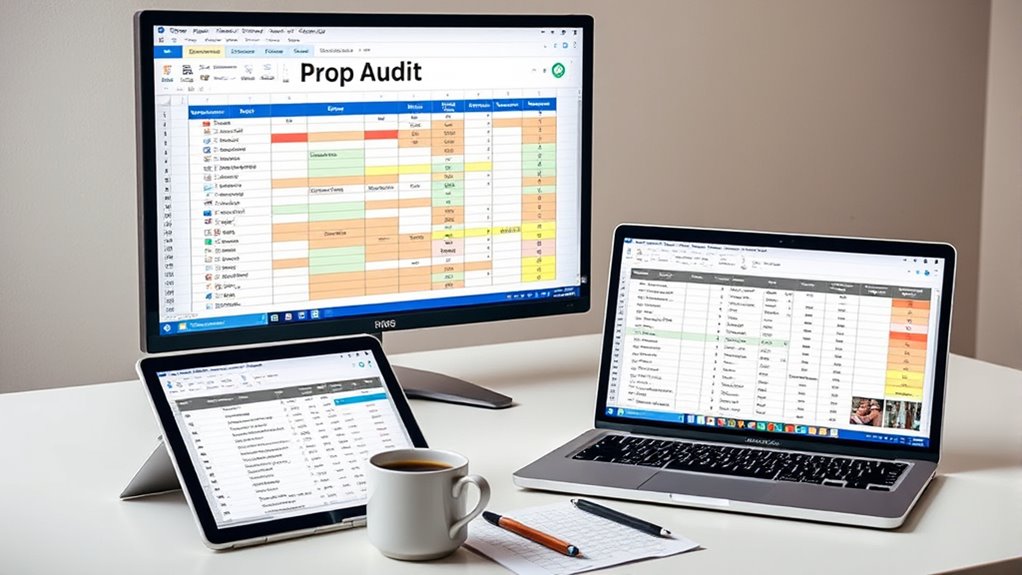
Ever wondered how to efficiently track and manage your props? The key lies in creating a robust prop audit spreadsheet that streamlines your inventory management process. When you organize your props with a well-designed spreadsheet, you gain a clear overview of what you have, what’s missing, and what needs maintenance. Digital cataloging plays an essential role here—by digitizing your inventory, you make it easier to update, search, and analyze your collection. Instead of sifting through paper lists or scattered files, your spreadsheet becomes a centralized hub that keeps everything at your fingertips.
Start by setting up a logical structure for your spreadsheet. Include fundamental columns such as item name, description, category, location, quantity, condition, date of last check, and notes. These fields help you categorize and locate props quickly. For example, if you’re working on a production set, knowing the exact location and condition of each item prevents last-minute scrambles. Incorporate digital cataloging by using dropdown menus for categories and conditions—this reduces errors and standardizes entries. You can also add hyperlinks to photos or related documents, making it easier to verify details or assess the condition visually. Additionally, understanding the importance of Free Floating elements can help you organize props that are versatile and adaptable across different scenes or events.
Organize your props with a logical spreadsheet structure and use dropdown menus for quick, error-free categorization.
To make your prop audit spreadsheet truly effective, establish a regular update routine. Schedule periodic reviews—monthly or quarterly—to verify quantities, update conditions, and note any repairs or replacements needed. This guarantees your inventory stays accurate and useful over time. When conducting audits, use the spreadsheet to check off items as they’re reviewed, making it simple to spot discrepancies or missing props immediately. Digital cataloging allows you to sort and filter items based on category, location, or condition, giving you immediate insights into your collection’s status.
Another essential aspect is data accuracy. Avoid vague descriptions—be specific about each prop to prevent confusion later. For example, instead of just writing “hat,” specify “straw sun hat, size medium.” This precision helps during reordering, repairs, or if you need to find a specific item quickly. Incorporate a version control system if multiple people access the spreadsheet, so everyone works on the latest data. Using shared platforms like Google Sheets or Excel Online allows real-time collaboration and immediate updates, reducing errors and miscommunication.
Finally, leverage your digital cataloging system to generate reports. These can highlight which props need replacement, identify underused items, or track the overall condition trends. When your prop audit spreadsheet is built thoughtfully, it becomes an invaluable tool—not just for inventory management, but for planning future acquisitions and maintaining a well-organized collection. With consistent updates and attention to detail, your spreadsheet will save you time, reduce stress, and keep your props ready for any production or event.
Frequently Asked Questions
How Often Should I Update My Prop Audit Spreadsheet?
You should update your prop audit spreadsheet at least monthly to keep your inventory management accurate. Regular updates guarantee your team stays on the same page, reducing errors and missing items. If you frequently acquire or lend props, consider weekly updates. Consistent review fosters better team collaboration, helping everyone know what’s available and what needs replenishing. This routine keeps your inventory organized and ready for any production needs.
What Software Is Best for Creating a Prop Audit?
Your best bet is using Google Sheets or Excel, the superhero duo of digital tools. These spreadsheets boast powerful features like conditional formatting, filters, and real-time collaboration, making prop audits a breeze. Google Sheets is especially handy for remote teams, offering easy sharing and updates. Excel offers advanced formulas and data analysis tools, perfect for detailed audits. Pick whichever fits your workflow and watch your prop management transform into an effortless process.
How Do I Categorize Different Types of Props?
To categorize different types of props, start by establishing clear categories based on their function, material, or location—this is your prop classification. Use item categorization to group similar props, like furniture, weapons, or costumes, making it easier to track and manage. Clearly label each category in your spreadsheet, and assign each prop to its appropriate group, ensuring your audit stays organized and efficient.
How Can I Track the Condition of Props Over Time?
You can track the condition of props over time by incorporating condition tracking into your inventory management system. Create columns for each prop’s condition, noting updates during inspections or after use. Regularly update these entries to monitor wear and tear. This way, you maintain a clear history of each prop’s condition, helping you schedule maintenance or replacements proactively, ensuring your inventory stays in top shape.
What Are Common Mistakes to Avoid When Building a Prop Audit?
You should avoid neglecting proper inventory management and storage solutions when building your prop audit. Don’t overlook setting clear categories and consistent labels, as this causes confusion. Skipping regular updates can lead to outdated info, and poor storage solutions might damage props. Guarantee your spreadsheet is user-friendly, with easy access to details. By preventing these mistakes, your audit becomes a reliable tool that keeps track of your props effectively.
Conclusion
Think of your prop audit spreadsheet as a trusty lighthouse guiding your production through foggy seas. With each organized section, it illuminates hidden hazards and charts a clear course forward. As you update and refine it, your project stays steady and on track, avoiding storms and wrecks. Keep it shining bright, and your production will navigate smoothly, confident in the safe harbor of a well-maintained prop inventory. Your spreadsheet is the beacon that guarantees success.